


The Most Useful Mobile Apps for Travel
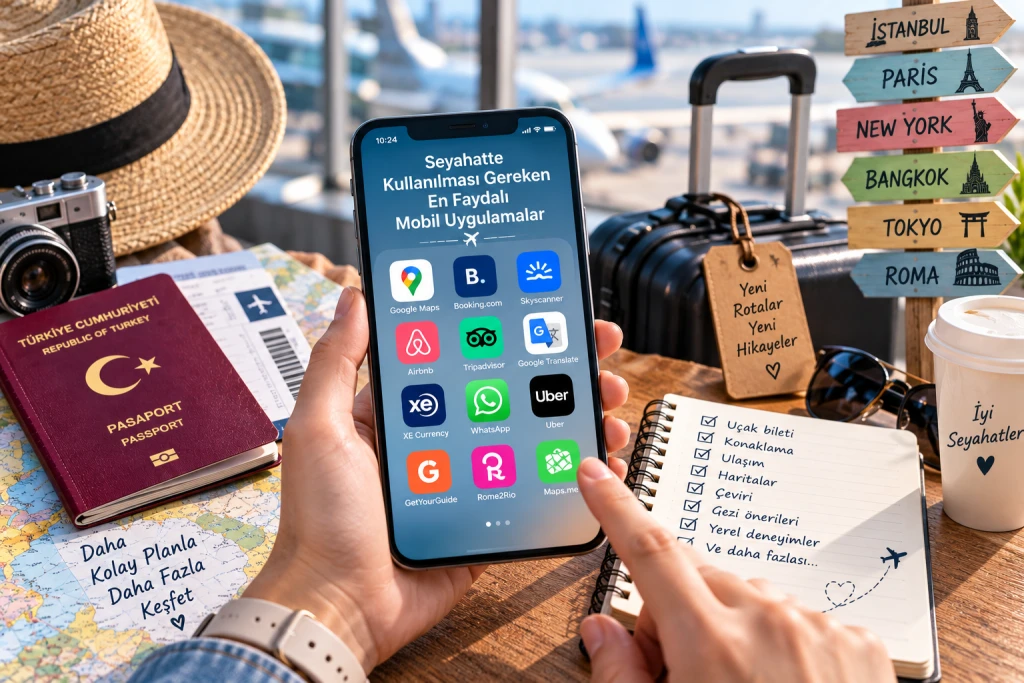
Most Useful Mobile Apps for Travel | 2026 Guide
Preparing your suitcase before a trip is just as important as preparing your phone for travel. With the right mobile apps, you can find your way in a foreign city, communicate in different languages, track your flight, compare public transport options, and manage your travel budget more easily.
It is important to consider that internet connectivity may not always be seamless during international trips. Therefore, it is highly beneficial to download certain apps before traveling and prepare necessary information for offline use.
So, which mobile apps should be used while traveling?
In this guide, we detailedly cover the most useful mobile apps for travel, what they are used for, and how they can make your life easier in various situations.
Why Are Mobile Apps Important While Traveling?
Smartphones are no longer just devices used for communication during travel.
With the right apps, you can turn your phone into a personal travel assistant.
Thanks to mobile apps:
- You can find your destination on a map.
- You can use navigation without the internet.
- You can translate in foreign languages.
- You can track your flight information.
- You can compare train, bus, and ferry options.
- You can access hotel and accommodation details.
- You can track exchange rates.
- You can organize your travel itinerary.
- You can store all reservation details in one place.
- You can access necessary information faster in emergencies.
However, instead of downloading every app to your phone, it would be more correct to select apps suitable for the type of your trip.
1. Google Maps – To Not Get Lost
Among travel apps, one of the most convenient options is Google Maps.
In a new city;
- Your hotel's location,
- Restaurants,
- Cafes,
- Museums,
- Tourist attractions,
- Airports,
- Train and metro stations
can be found using it.
One of the most important features of Google Maps is its offline map feature.
You can download the map of the region you will visit to your phone in advance and use it even when you have no internet connection. However, keep in mind that some features like public transport, cycling, and pedestrian directions may not be available in offline mode.
What should you do before traveling?
Find the city or region you will visit and download the offline map in advance.
This small preparation can provide great convenience, especially on international trips.
2. Google Translate – To Eliminate Language Issues
One of the most significant issues encountered abroad is communication.
Google Translate is a convenient travel app that can translate written text as well as via photo and voice.
Especially;
- Reading menus,
- Understanding signs and warnings,
- Communicating with hotel staff,
- Ordering at a restaurant,
- Asking for directions
it can be very helpful in such situations.
Is offline translation possible?
Yes. When supported languages are downloaded to the phone in advance, Google Translate allows you to use some translation features without an internet connection.
Therefore, downloading the language of the country you will visit before traveling is a good preparation.
3. Rome2Rio – To Compare Transport Alternatives
If you don't know how to get from one city to another, Rome2Rio can be very useful.
It helps you compare planes, trains, buses, ferries, cars, and different transport combinations.
Rome2Rio can show different transport options between the starting and ending points, estimated times, and price information. According to the platform's current data, it compares options from thousands of transport companies in over 160 countries.
For example:
Paris → Brussels
for;
- Train
- Bus
- Flight
- Different transport combinations
you can compare these options.
It is particularly useful for those planning a European tour, Balkan tour, or multi-city trip.
4. Airline Company Mobile Apps
If you are traveling by plane, it can be beneficial to load the official mobile app of the airline you are flying with onto your phone.
Through these apps, you can generally access information such as;
- Flight details,
- Online check-in,
- Boarding pass,
- Flight changes,
- Baggage information,
- Reservation details
.
Important Tip
Do not rely solely on having your boarding pass in the app.
If possible, save your important travel documents as PDFs on your phone and take screenshots of necessary information as well.
5. Booking and Hotel Apps – For Accommodation Details
After making your hotel reservation, it is quite practical to have your reservation details on your phone.
Through hotel apps or reservation platforms;
- Hotel address,
- Check-in date,
- Check-out date,
- Reservation number,
- Room details,
- Cancellation terms
you can easily access such information.
Pre-travel recommendation
Also save your hotel reservation's;
reservation number + hotel address + contact information
to your notes.
Being able to access this information even without an internet connection provides an advantage during your trip.
6. XE Currency – For Calculating Exchange Rates
One of the most common issues when shopping abroad is not being able to quickly calculate the equivalent price in Turkish Lira.
Thanks to currency apps, you can more easily track conversions between different currencies.
For example:
How many TL is 100 Euro?
or
Approximately how much is 5,000 Japanese Yen?
You can perform such calculations quickly while traveling.
Why is it important?
Especially on trips covering multiple countries, comparing prices and controlling the budget becomes easier.
However, the rate in the apps may not be the same as the rate used by your bank or card provider during the transaction. Therefore, calculations must be evaluated as approximate amounts.
7. TripIt – To Gather All Travel Information in One Place
On trips where you make numerous reservations, information can easily get scattered.
Your flight ticket might be in one email, your hotel reservation in another app, and car rental info somewhere else.
Travel planning apps can help you gather this information in one place.
Especially;
- Flights,
- Hotels,
- Car rentals,
- Transfers,
- Events
for people with different reservations, organizing the travel itinerary can provide great convenience.
8. WhatsApp – For Communication
WhatsApp is not only useful for communicating with friends and family during travel but also very handy in some travel processes.
For example;
- Communication with the hotel,
- Communication with the transfer company,
- Communication with the tour guide,
- Communication with the car rental company,
- Communication with the travel group
it can be used in such situations.
Before traveling
Save the phone numbers of important people and businesses to your contacts.
Also, do not delete important messages related to your hotel, transfer, and tour reservations.
9. Weather Apps – To Check the Weather
Weather during travel can directly affect your daily schedule.
For example:
- Boat tours,
- Beach holidays,
- Hiking,
- Trekking,
- City tours,
- Outdoor activities
if you plan these, checking the weather is important.
Start tracking the weather a few days before your trip, but remember that long-term forecasts can change.
Practical tip
Re-check your suitcase based on the weather on the last day.
Umbrellas, raincoats, sunscreen, or a light jacket such small details can seriously affect travel comfort.
10. Uber and Local Transport Apps
In some countries, mobile transport apps can be more practical than taxis.
But there is an important point:
The same transport app is not used in every country.
Therefore, before going to the country you will visit;
- Which taxi apps are used,
- Airport transfer options,
- Public transport apps,
- Local transport cards
researching them would be beneficial.
Especially downloading official metro, bus, or city transport apps in large cities can make things easier.
11. Google Drive / iCloud – To Store Travel Documents
One of the most important apps while traveling might actually be a cloud storage app.
It is beneficial to store digital copies of documents like passport, visa, flight ticket, hotel reservation, and travel insurance in a secure place.
For example, if your phone is lost or you need the document again, you can access the backup copy.
What can be in your travel folder?
- Passport copy
- Visa
- Flight ticket
- Hotel reservation
- Travel insurance
- Transfer reservation
- Car rental contract
- Emergency contact information
Note: Store your sensitive documents only in services that are trustworthy and have security settings correctly configured.
12. Notes App – Small But Very Useful
Even the simple Notes app on your phone can be quite useful while traveling.
For example, you can write the following in a travel note:
Hotel:
Address and phone
Flight:
Date – time – flight number
Transfer:
Company – phone – meeting point
Emergency:
Insurance – consulate – relatives
Travel plan:
- day – city center
- day – museums and historical places
- day – boat tour
This method makes things easier, especially on multi-stop trips.
13. Safe Travel and Emergency Apps
Safety apps should not be overlooked while traveling.
Research in advance the country you will visit's;
- Emergency phone numbers,
- Embassy/consulate information,
- Health services,
- Local emergency apps
.
Adding information about who to call in case of an emergency to your phone's lock screen or notes can also be beneficial.
14. eSIM Apps – For Internet Abroad
Internet connectivity is a crucial need during international trips.
Especially;
- Google Maps,
- Translation apps,
- Transport apps,
- Online reservations,
- Messaging apps
you may need an internet connection for these.
Therefore, before traveling, you can check if your phone supports eSIM and evaluate a suitable international mobile internet/eSIM option.
Things to consider
- Does your phone support eSIM?
- Is the country you are visiting covered?
- How many GB of internet is needed?
- How many days is the package valid?
- Is your phone carrier-locked?
Check the answers to these questions before traveling.
How Should You Prepare Your Phone Before Traveling?
Downloading apps alone is not enough. You also need to prepare your phone before traveling.
1 Week Before Travel
- Download necessary apps.
- Update apps.
- Download maps.
- Download translation languages.
- Save hotel and flight information.
- Research eSIM or internet packages.
- Back up your travel documents.
1 Day Before Travel
- Charge your phone completely.
- Prepare a power bank.
- Check offline maps.
- Double-check flight and hotel information.
- Ensure important documents are on your phone.
- Check that you are logged in to necessary apps.
7 Tips to Protect Your Phone Battery While Traveling
Running out of battery on your phone during travel can cause serious problems.
Therefore:
- Bring a power bank with you.
- Charge your phone completely before leaving.
- Close apps you are not using.
- Reduce screen brightness when necessary.
- Turn off unnecessary notifications.
- Download maps offline in advance.
- Carry a suitable charging adapter for long trips.
Especially if you are going abroad, check the plug type of the country you will visit in advance.
Don't Trust Every App While Traveling
While mobile apps make travel easier, caution is needed in some areas.
Especially;
- Download apps from official stores.
- Be careful when using public Wi-Fi for banking transactions.
- Do not click on suspicious links.
- Do not enter passport and card details into untrustworthy apps.
- Do not make payments without checking reservation details.
- Ensure apps are up to date.
Also, do not store important information in just one app.
The internet may go down, the phone may break, or the app may stop working.
Therefore, keeping a backup of your important travel documents is always safer.
8 Apps That Must Be On Your Phone for Travel
If you don't want too many apps on your phone, the following list may be sufficient for basic needs:
1. Google Maps – To find your way
2. Google Translate – To solve language issues
3. Rome2Rio – To see transport options
4. Your airline app – For flights and check-in
5. Your hotel/reservation app – For accommodation details
6. XE Currency – To calculate exchange rates
7. WhatsApp – For communication
8. Google Drive/iCloud – To back up travel documents
When you prepare these apps before traveling, your phone can meet many of your travel needs on its own.
Conclusion: The Right Apps Can Make Your Trip Much Easier
Mobile apps used while traveling are no longer a luxury; they have become a practical necessity, especially for international trips.
Map apps can help you find your way, translation apps can help you communicate, transport apps can help you create routes, currency apps can help you control your budget, and cloud storage apps can help you protect your important documents.
But the most important point is to prepare apps before the trip, not after.
Especially downloading offline maps on Google Maps and languages to be used on Google Translate in advance can provide significant advantages in situations where you have no internet connection.
Your checklist before setting off on a trip:
Download apps → Update → Prepare offline maps → Download translation languages → Save reservations → Backup documents → Prepare internet connection → Charge your phone and power bank
Thus, you can save time during your trip and be better prepared for unexpected situations.